

Windows desktop app · Free beta

Capture the entire scroll
on Windows.

PanoramiX is a Windows tool for scrolling screenshots. Select any scrollable area, keep scrolling, and get one continuous image. Then crop, pixelate, annotate and export it inside the app.

  • Runs as a Windows desktop tool
  • Captures beyond the browser
  • Built-in editor after capture

For browsers, IDEs, Terminal, CMD, logs, chats and other scrollable Windows applications.

Actual Windows capture Real PanoramiX interface
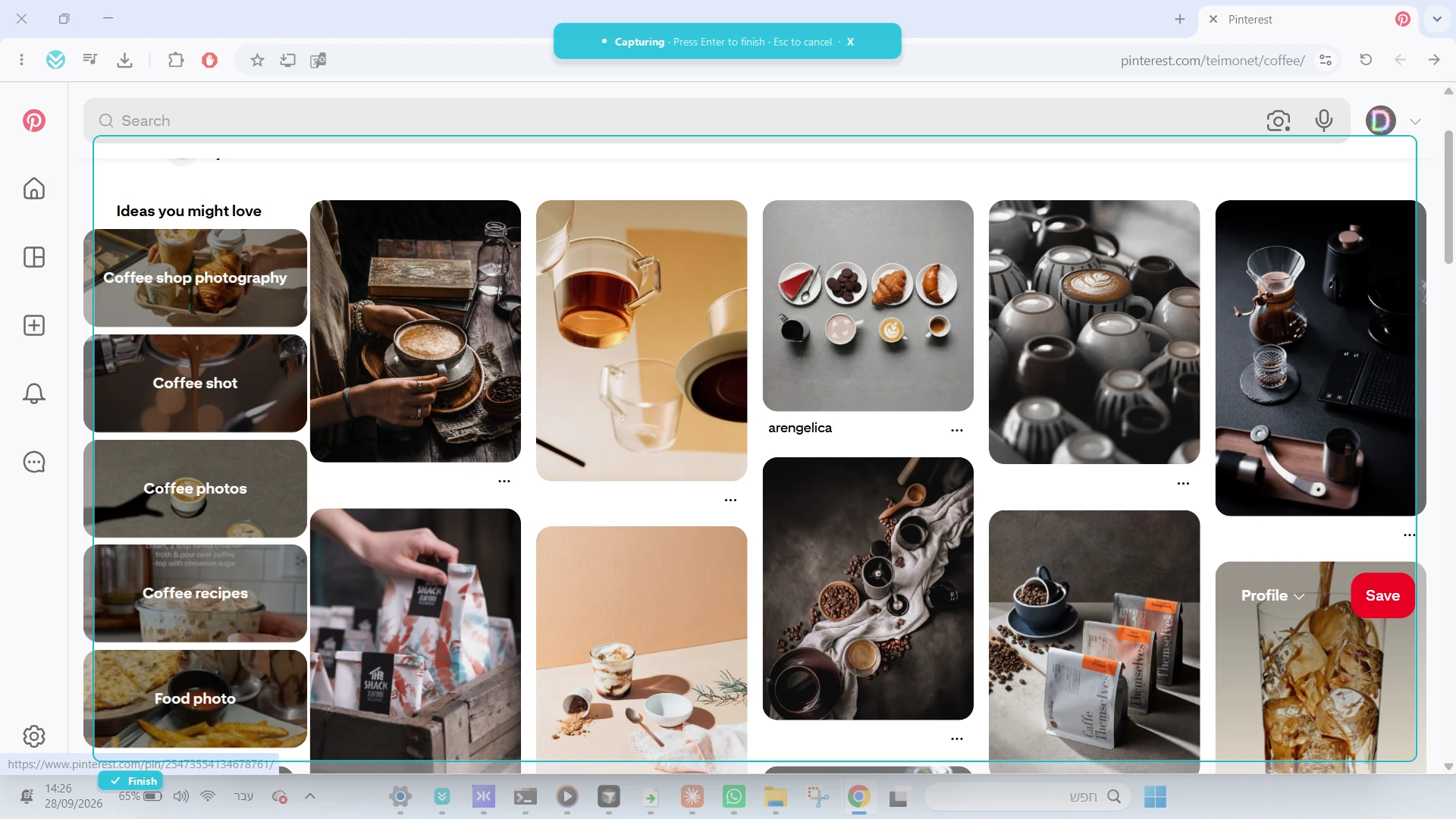
PanoramiX capturing a selected scrollable area in a Windows browser
1. Select an area 2. Scroll 3. Get one image
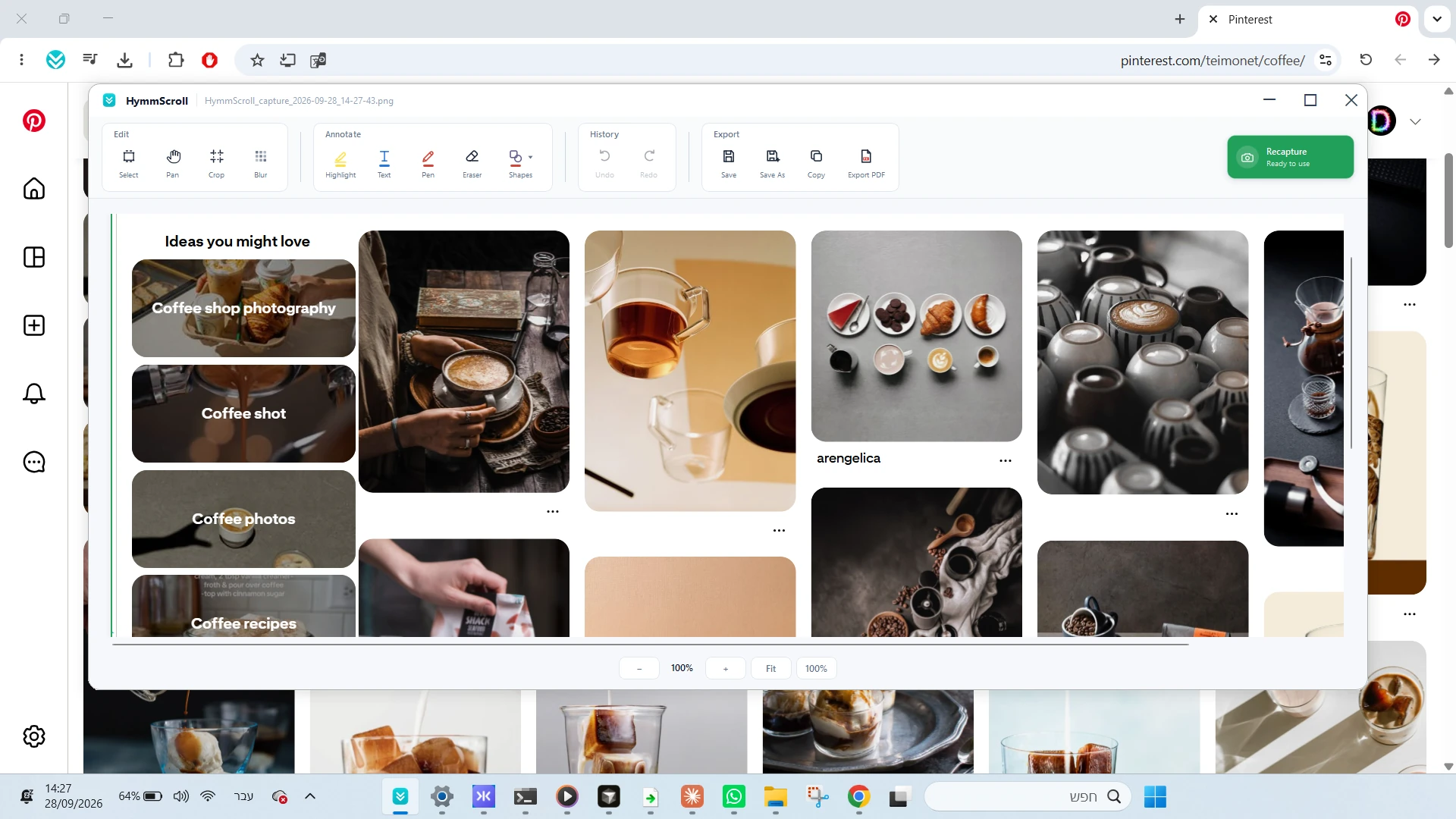
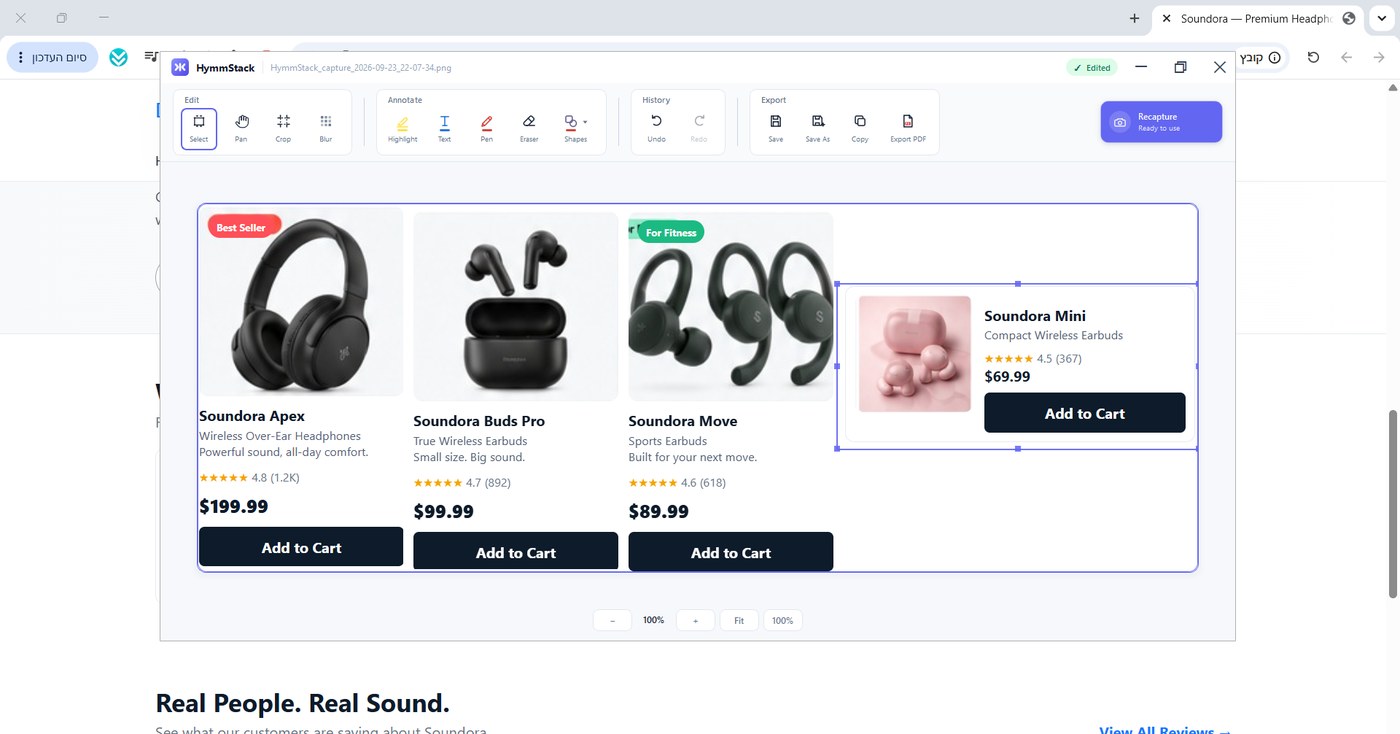
The built-in PanoramiX editor after the scrolling capture is complete
The built-in editor opens after capture
See it in action

Scrolling capture is still the heart of PanoramiX.

Select the window area, scroll through the content, and PanoramiX combines everything into one complete image. The new editor begins only after the capture is ready.

One workflow: capture → combine → edit → export 33-second product demo
Capture more than the screen

One continuous image, even when the content keeps going.

No stacks of screenshots, no manual stitching and no lost context. PanoramiX captures a selected scrollable area inside Windows applications.

🌐

Browsers

Capture long web pages, conversations, dashboards and AI responses.

IDEs and code

Capture long code files, editors, panels and development environments.

Terminal and CMD

Preserve long command output, console history, logs and diagnostics.

Any scrollable window

Select an area, scroll naturally and let PanoramiX build the result.

New in PanoramiX 2.0

A complete editor, built into the capture flow.

The finished scrolling screenshot opens immediately inside PanoramiX. Clean it up, protect sensitive information, explain what matters and export the result without opening another app.

🔲

Precise crop

Keep exactly the part of the long image you need.

🫥

Real pixelation

Hide passwords, names and sensitive data with actual pixel blur.

🖍️

Transparent highlight

Mark important areas without covering the content underneath.

✏️

Freehand drawing

Draw directly on the result using multiple colors.

➡️

Arrows and shapes

Add arrows, rectangles, circles and quick ✓ / ✕ markers.

🔤

Text annotations

Add explanations, labels and notes directly to the image.

📄

Continuous PDF

Export the complete capture as one clean, continuous PDF page.

No context switching

Capture, edit and export inside one focused application.

How it works

From a long window to a finished result.

The capture stays simple. The editing tools are there only when you need them.

1

Select the area

Open PanoramiX and draw a frame around the scrollable content you want to capture.

2

Scroll through the content

Scroll normally. PanoramiX follows the selected area and collects the content.

3

Finish the capture

Press Enter or Finish. PanoramiX combines the scroll into one continuous image.

4

Edit and export

Crop, pixelate, highlight, draw, add shapes or text, then save the image or export it to PDF.

Transparent Windows security notice

PanoramiX is still in beta and is not digitally signed yet, so Windows may display a warning on installation or first launch. Download only from the official link on this page.

More info → Run anyway
PanoramiX בעברית

צילום מסך בגלילה — ועכשיו גם עורך מובנה.

PanoramiX מצלם אזור ארוך שאפשר לגלול בו ב־Windows והופך אותו לתמונה אחת רציפה. אחרי הצילום, התוצאה נפתחת מיד בעורך — בלי לצאת מהתוכנה.

הצילום בגלילה הוא הבסיס

מסמנים אזור בדפדפן, בסביבת פיתוח, ב־Terminal, ב־CMD, בצ׳אט או בכל חלון גלילה אחר. גוללים עד סוף התוכן, ו־PanoramiX מחבר הכול לתמונה אחת.

בלי לצלם כמה תמונות, בלי לחבר ידנית ובלי לאבד את ההקשר.

אחרי הצילום אפשר לערוך

  1. חיתוך מדויק
  2. טשטוש מידע רגיש בפיקסול אמיתי
  3. מרקר שקוף וציור חופשי
  4. חצים, מסגרות, עיגולים וסימוני ✓ / ✕
  5. הוספת טקסט
  6. ייצוא ל־PDF כעמוד רציף אחד
Frequently asked questions

The practical details.

What is PanoramiX?

PanoramiX is a Windows scrolling screenshot tool. It captures a selected scrollable area, combines the content into one continuous image and opens the result in a built-in editor.

Does PanoramiX work outside the browser?

Yes. It is designed for scrollable areas in Windows applications, including browsers, IDEs, Terminal, CMD, logs, chats and other windows.

Does the editor replace the scrolling capture?

No. Scrolling capture remains the core feature. The editor starts after PanoramiX has finished combining the captured content.

Can I hide sensitive information?

Yes. The built-in pixelation tool changes the selected pixels rather than placing a cosmetic translucent layer over them.

Can I export the long screenshot to PDF?

Yes. PanoramiX can export the result as a clean, continuous single-page PDF.

Is PanoramiX free?

The current Windows beta is available as a free download.

Why does Windows show a warning?

The beta is not digitally signed yet. When using the official download, Windows may require selecting More info → Run anyway.

Capture the whole story — not just the screen.

Download PanoramiX, turn long scrollable content into one continuous image and finish the result without leaving the app.